How file-based order intake works
Customer uploads or emails the order file
Customers can submit Excel or PDF order files in two ways. They can attach the file to an email sent to your StackCube order address (see Email Orders), or — if you’ve set up a file upload link — they can upload directly through a StackCube intake form. Either way, the file lands in the same processing pipeline.
StackCube reads and extracts order lines
The AI parses the file, identifies the order table or line-item structure, and extracts each row as a separate order candidate. For Excel files, StackCube reads column headers to map fields like item name, SKU, quantity, and unit price. For PDFs, it uses layout analysis to locate the order table, whether the document is a clean digital export or a scanned form.
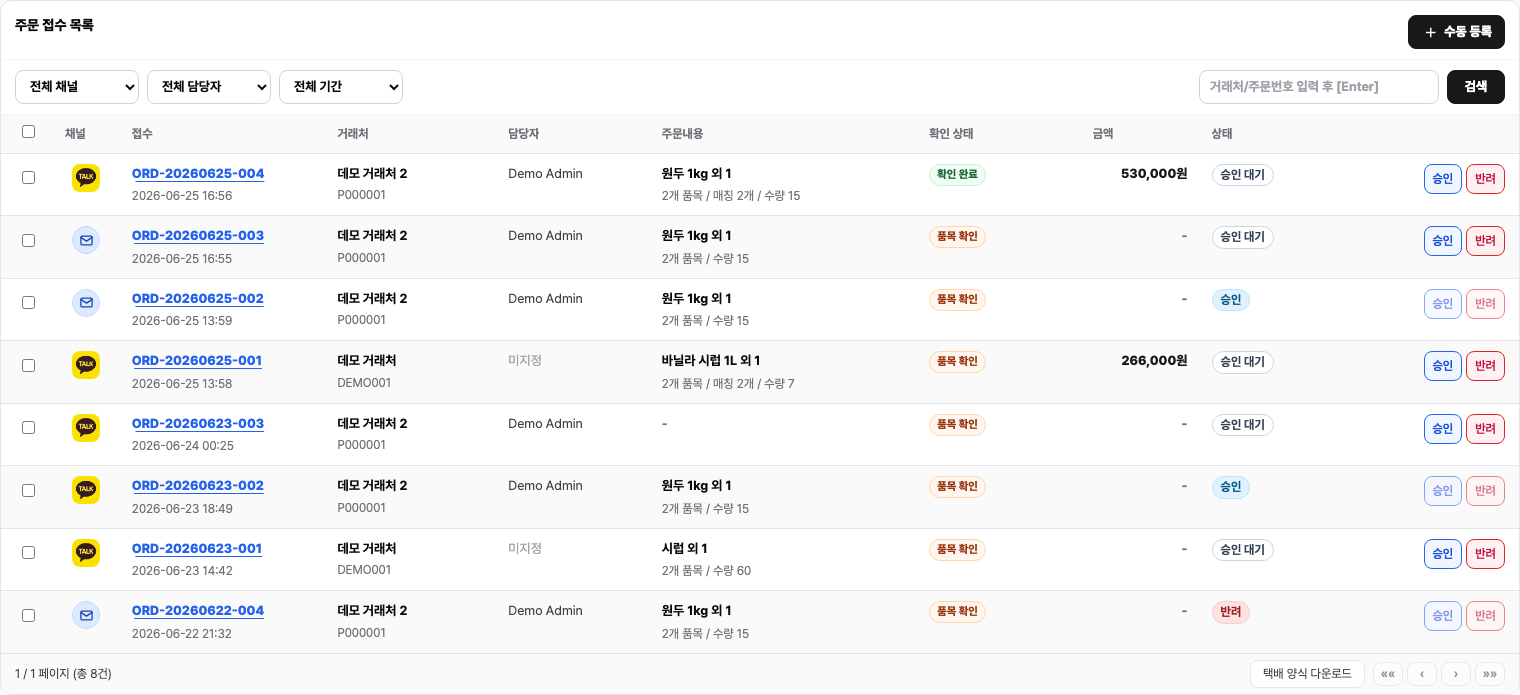
Candidates appear in your review queue
Extracted line items become order candidates in your StackCube review queue, attributed to the customer and linked to the original file. Items that match your product catalog are pre-matched automatically; unrecognized items are flagged for your team to resolve.
Why this approach saves time
The traditional alternative is someone on your team opening each attachment, reading the rows, and typing them into your order system one by one. For a distributor sending 50-line orders twice a week, that’s a significant recurring time cost — and every manual entry is a chance for a typo or a missed line.No manual re-entry
Every line item is extracted automatically. Your team’s job is to review and approve, not to transcribe. This eliminates a whole category of data-entry errors before they can affect fulfillment.
Customers keep their existing forms
You don’t need to ask distributors to change their procurement workflow or adopt a new template. StackCube adapts to their format, not the other way around.
Full audit trail
The original file is stored and linked to every order it produced. If a customer disputes a quantity or price, you can pull up the exact file they sent in seconds.
Scales with order volume
Whether a distributor sends a 5-line order or a 200-line order, the extraction process takes the same amount of time. Manual re-entry scales linearly with volume; StackCube does not.
Handling complex file structures
What if the Excel file has multiple sheets?
StackCube scans all sheets in a workbook and identifies which ones contain order data based on their structure. If order lines are spread across multiple sheets, candidates are extracted from each relevant sheet and grouped under the same order.
What if the PDF is a scanned image rather than a digital document?
StackCube uses optical character recognition (OCR) to read scanned PDFs. Extraction accuracy is high for clearly scanned documents. Heavily degraded scans or handwritten forms may produce lower-confidence candidates, which are flagged for review so your team can verify them against the original scan.
What if the file uses column names we don't recognize?
StackCube maps common column header variations automatically (for example, “Qty”, “Quantity”, “Units Ordered” all map to the quantity field). For unusual column names specific to a customer’s template, you can configure a custom column mapping in the customer settings so future files from that customer are always interpreted correctly.
What if a single email contains both a PDF and an Excel file?
Both files are processed. StackCube extracts candidates from each attachment separately, then presents them together under the same order record in the review queue. You can see which candidate came from which file during review.
Custom carrier format support — for EDI files and proprietary distributor export formats — is available on the Scale plan and above. Contact your account manager if you need to ingest a format not covered by standard Excel and PDF extraction.