Send orders to ERP#
Review orders in StackCube first, then send approved data to your ERP. Start with direct entry or CSV if you do not need an automatic connection yet.
Choose how to send orders#
| Method | Use when |
|---|---|
| Manual entry | You want review first and ERP volume is manageable |
| CSV file | Your ERP accepts an import file |
| ERP connection | You want to send approved orders directly to Ecount |
| Custom integration | Multiple systems or separate approval steps must be connected |
Integration list#
Connect Ecount and Slack directly under Settings → Integrations. Ecount sends data to ERP; Slack sends new order notifications. SAP and Douzone are available after consultation, and Webhook is still in preparation.
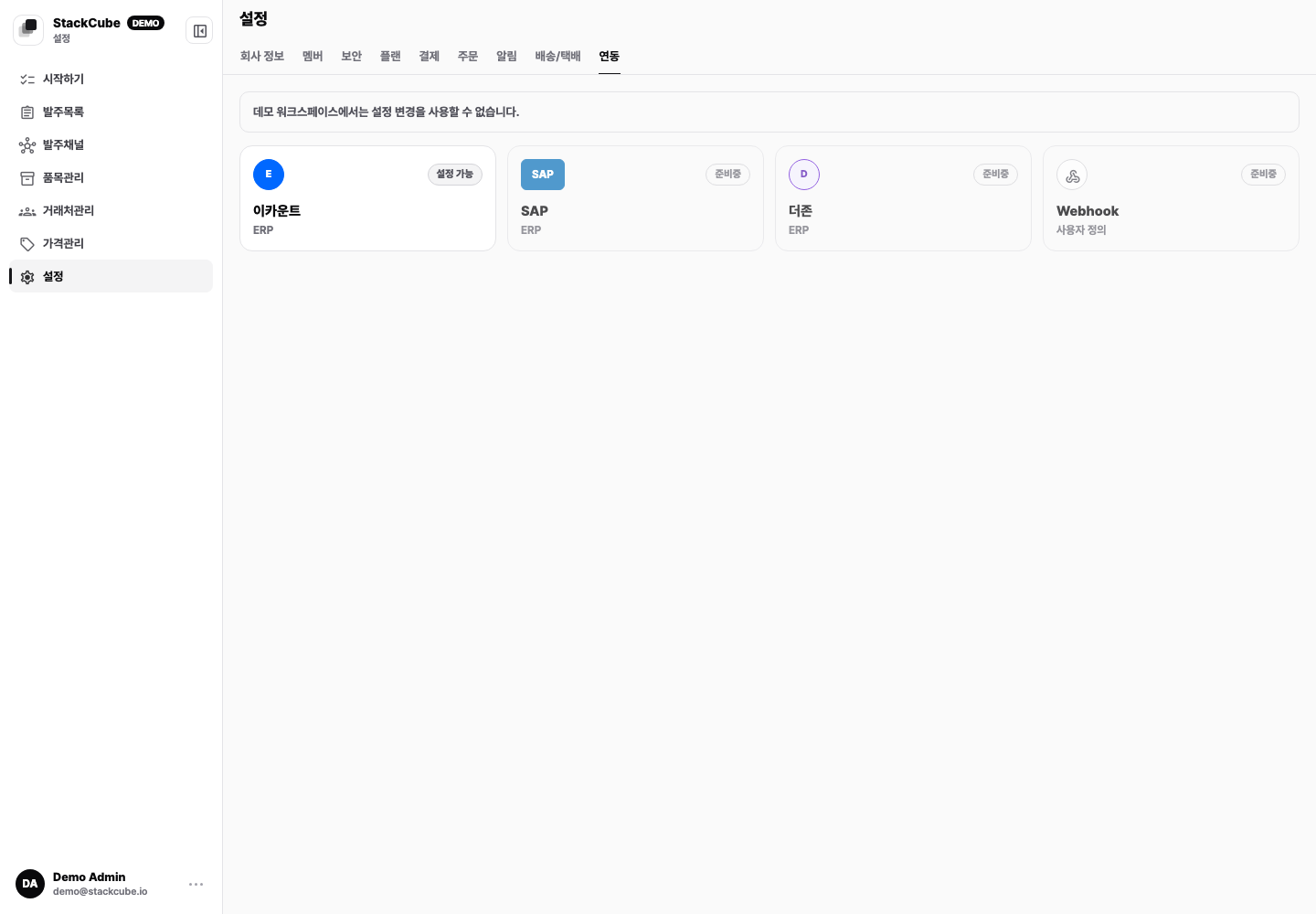
See Set up Ecount for API credentials and verification, and Sync Ecount items for catalog imports. See New order notifications for Slack.
Before connecting#
Match these StackCube and ERP values first:
- Customer code
- SKU or ERP item code
- Quantity and unit
- Price and tax handling
- Delivery address
- Memo
- External order identifier
An order may be approved with a missing code, but ERP export will fail. Send one real order first and check the document created in the ERP.
When to use ERP export#
Connect the ERP when direct entry or CSV files begin to delay daily orders.
Before integration, confirm the customer codes, item codes, tax rules, and export owner.