Customer imports and signup requests#
For a large customer list, open Customers > Upload and select a CSV or XLSX file. StackCube uses the customer code to create new records or update existing ones.
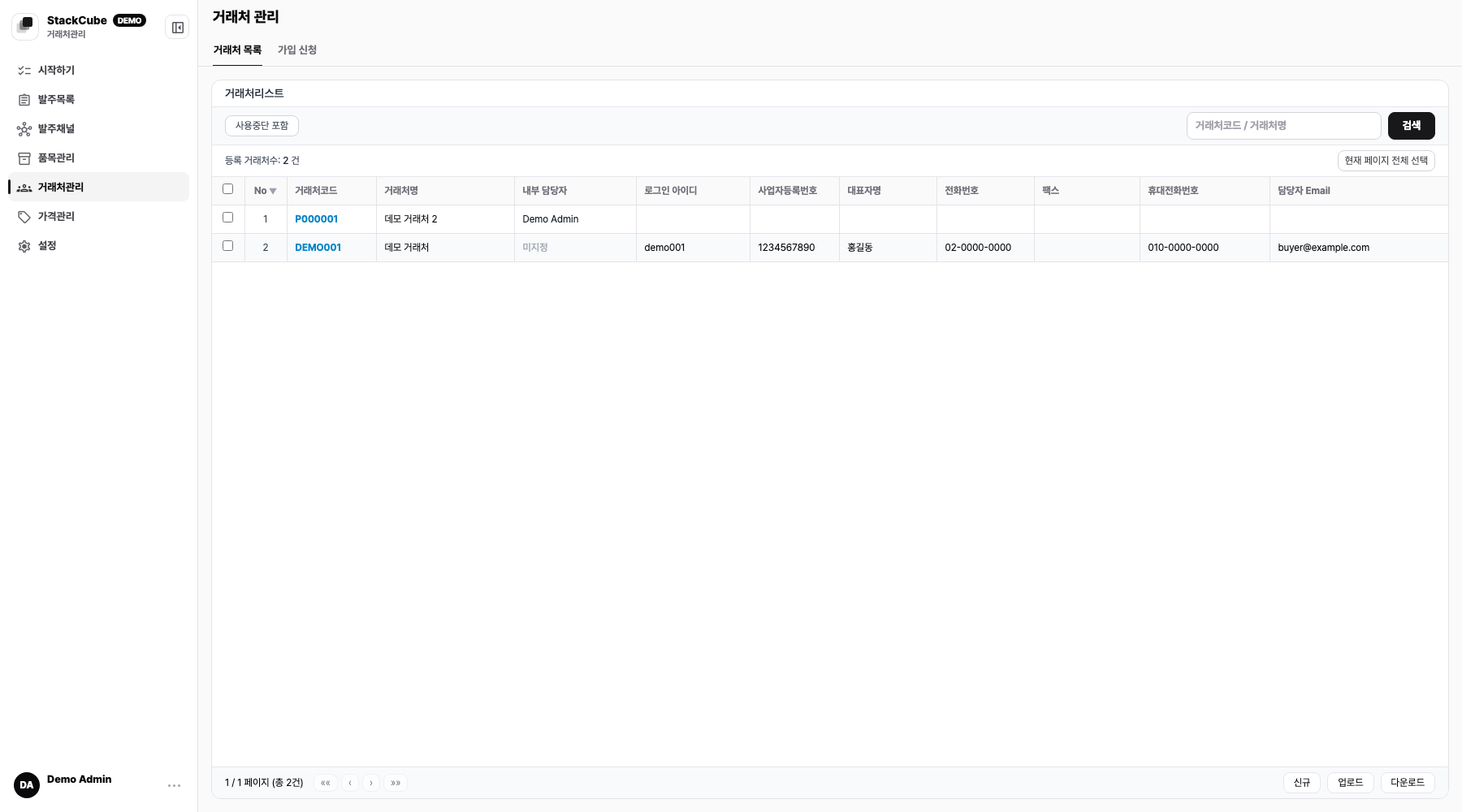
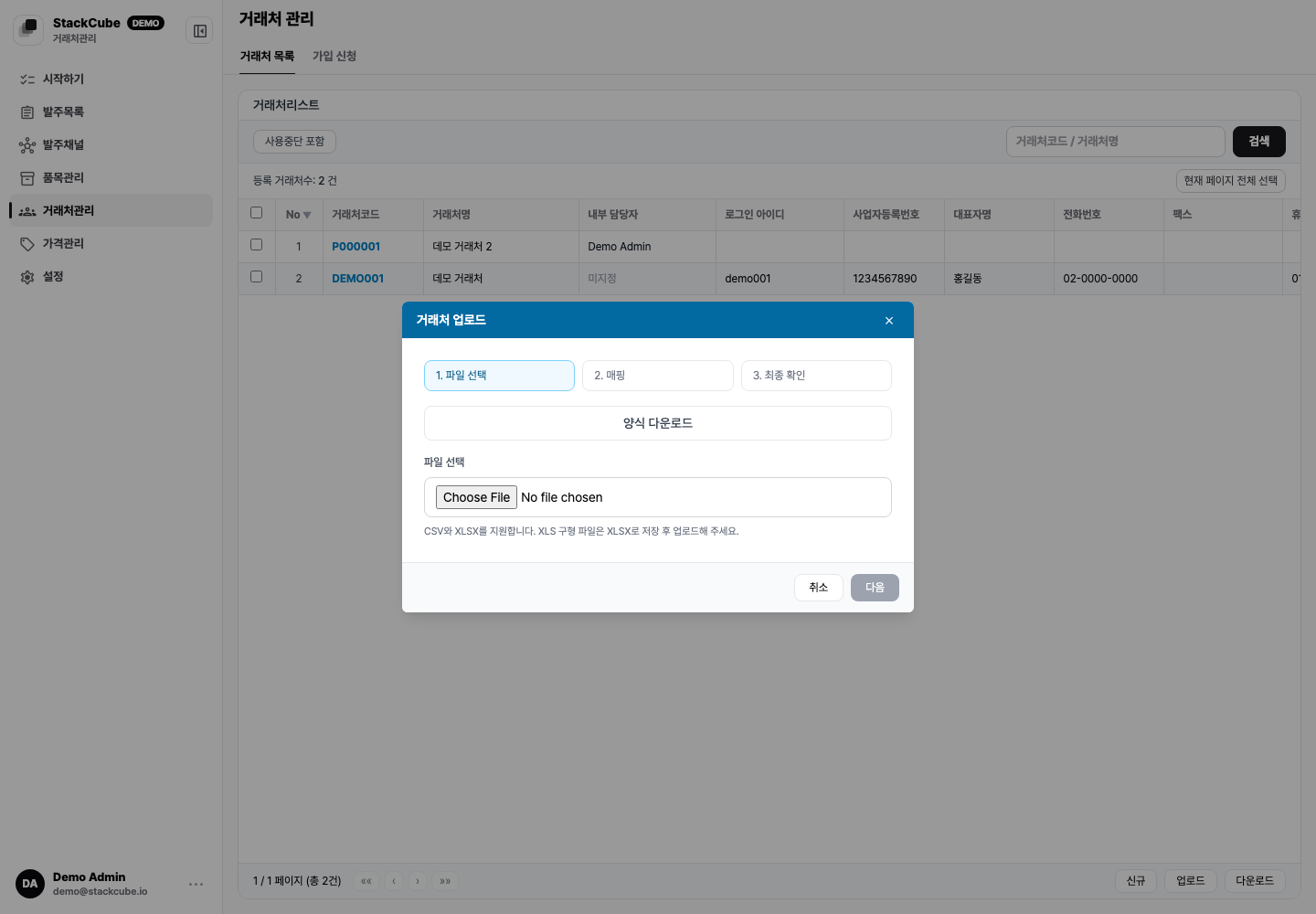
Upload steps#
- Choose how existing customer codes should be handled. Create only is the safest option for a first import.
- Download the template and enter customer codes and names on its Upload sheet. You can also use an existing CSV or XLSX file.
- Upload the file and confirm that customer code, name, email, and other source columns map to the correct fields.
- Review errors and the customers that will be applied, then select Upload.
Upload fields#
After choosing a file, map each source column to a StackCube field. The original column names can differ.
Important fields include customer code, customer name, internal assignee, login ID, login password, business registration number, use status, representative name, phone, fax, mobile, contact email, postal code, address, and memo.
When creating a new portal login ID, include an initial password. For updating an existing customer's login ID, the password can stay blank unless you intend to reset it.
Import modes#
| Mode | Behavior |
|---|---|
| Create only | Stops if an existing customer code is found. |
| Skip existing | Adds only new customers and leaves existing customers unchanged. |
| Add and update | Updates matching customer codes and creates new ones. |
| Update existing only | Updates only existing customer codes and skips new rows. |
Test a few rows with Create only first. Use Update existing only when correcting existing records. Review the preview before applying changes.
Internal assignees#
The internal assignee column matches a team member by name or email. Use email when team members have similar names.
Filter assigned customers in Order management. Assignment does not approve an order automatically.
Portal accounts#
For repeat customers using the order portal, set login ID and password on the customer row.

Check the visible items and prices before sharing portal credentials. Disable portal access when a customer becomes inactive.
Signup requests#
Portal requests appear in Customers > Signup requests. Check company details, contact information, login ID, possible duplicates, assignee, and price tier before approval.
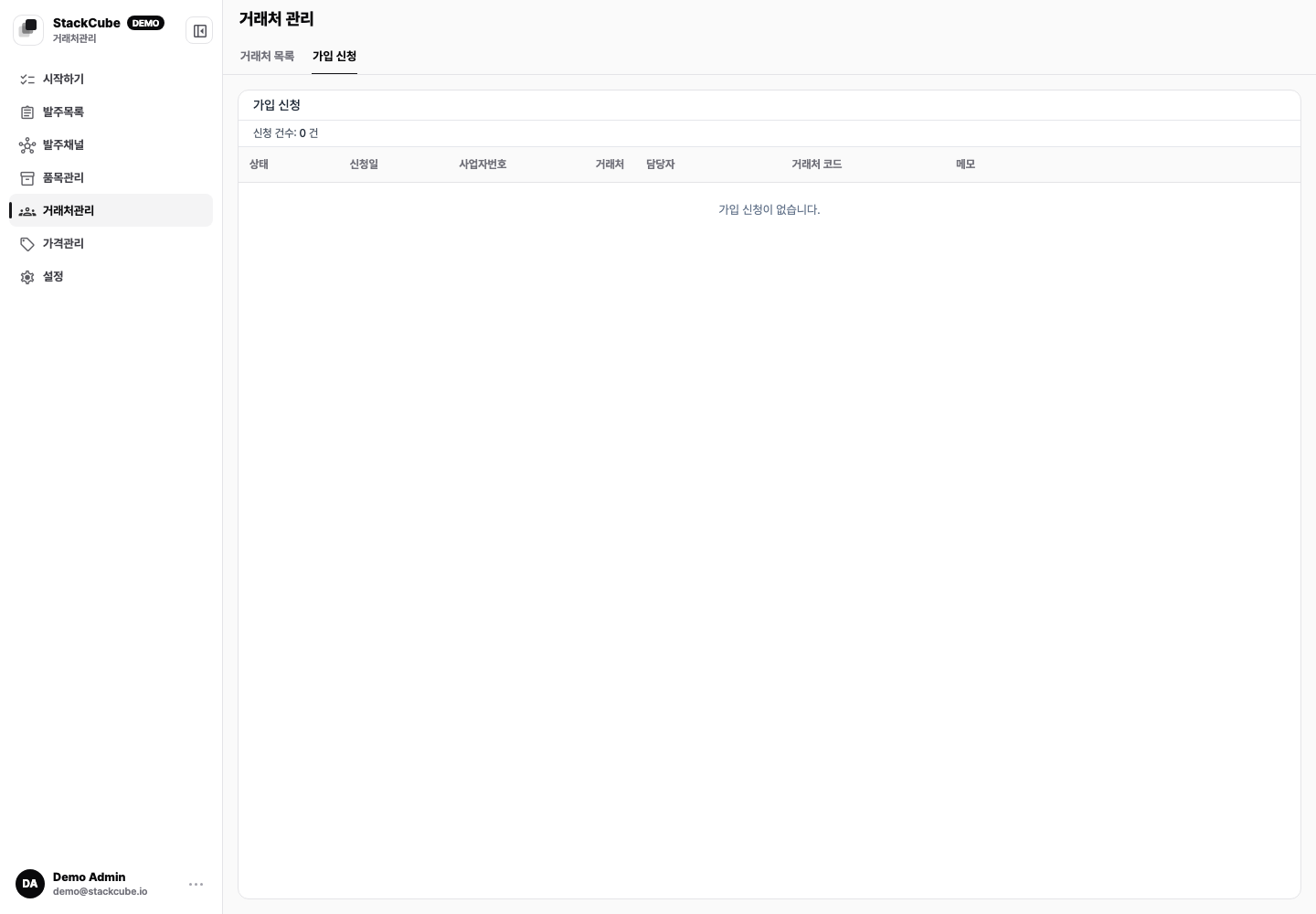
Approval creates the customer profile and portal account. Add a reason when rejecting so another request from the same customer is easy to identify.