Plans and billing#
Every plan includes unlimited users and core features. Choose by monthly order volume and the setup or operating support you need.
How to choose a plan#
| Factor | What to check |
|---|---|
| Order volume | Average and peak monthly order count |
| Channels | Email, KakaoTalk, SMS, Excel, PDF, portal |
| Catalog | SKU count, options, aliases, discontinued items |
| Pricing | Default prices, customer price tiers, tier rules |
| Export | Order spreadsheets and shipping files, ERP import, custom formats |
| Team | Roles and responsibilities, with unlimited users |
Core features in every plan#
Use AI order cleanup, the order portal, customer pricing, standard ERP integration, order and shipping exports, self-service shipping format editing, team roles, order assignment, and change history. Plans do not limit user counts.
Order volume and support#
| Plan | Monthly order volume | Setup and support |
|---|---|---|
| Starter | 500 | Self-service setup guides |
| Growth | 1,500 | Initial setup guidance |
| Scale | 3,000 | Agreed scope for workflow setup and shipping format assistance |
| Enterprise | By agreement | Dedicated onboarding and support; custom integrations or development by separate agreement |
Self-service configuration is separate from work performed by the StackCube team. Support scope, schedule, and any additional fees are confirmed in consultation. See Pricing for current prices and volume options.
Billing note#
Some landing page examples describe a per-order equivalent cost. That number is a monthly-plan estimate divided by included order volume. StackCube billing is subscription-based unless a separate enterprise contract says otherwise.
Billing Management#
Open Settings → Plan to check the current plan, trial period, usage, and next billing date. Register or change cards and review billing information under Settings → Billing.
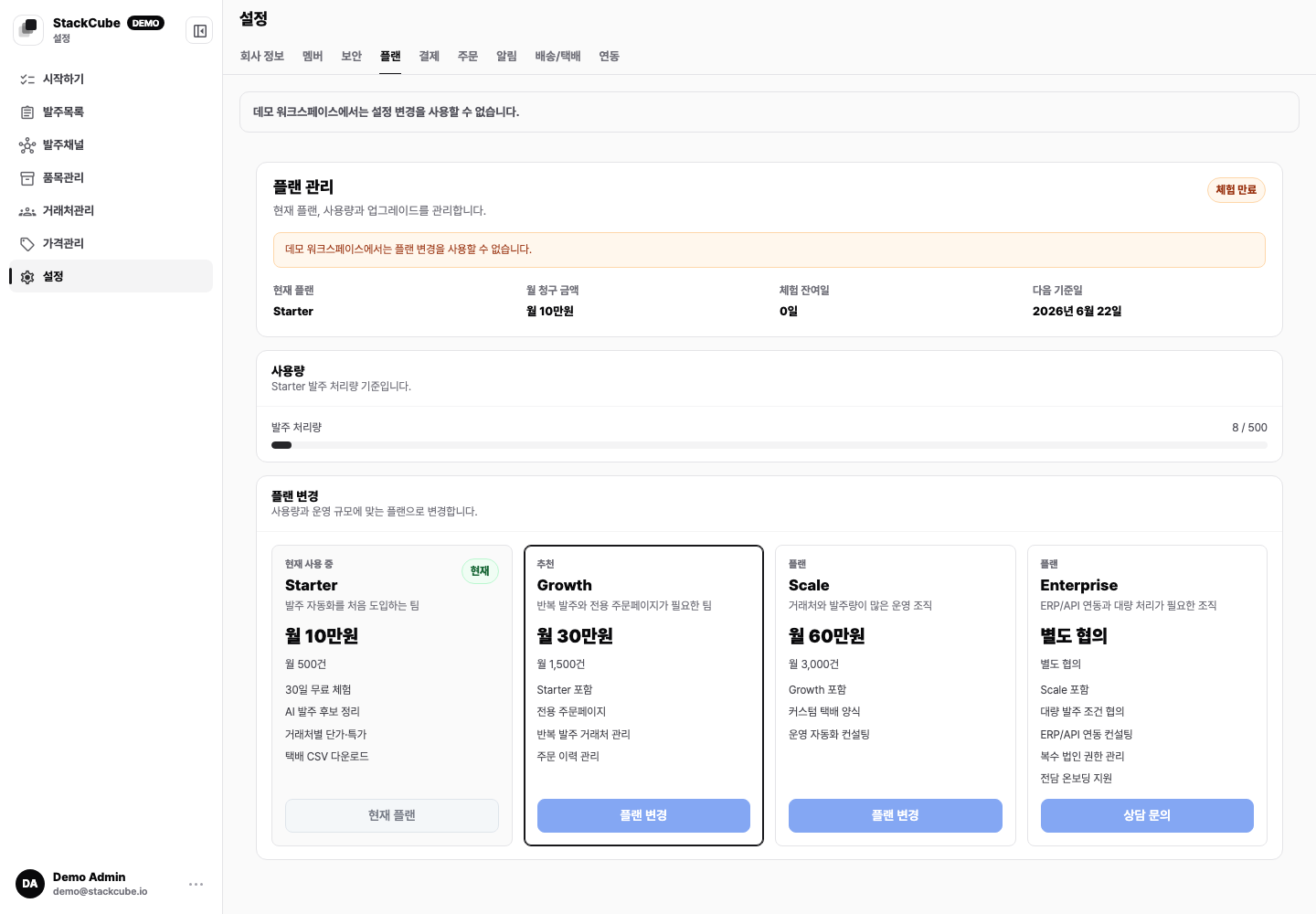
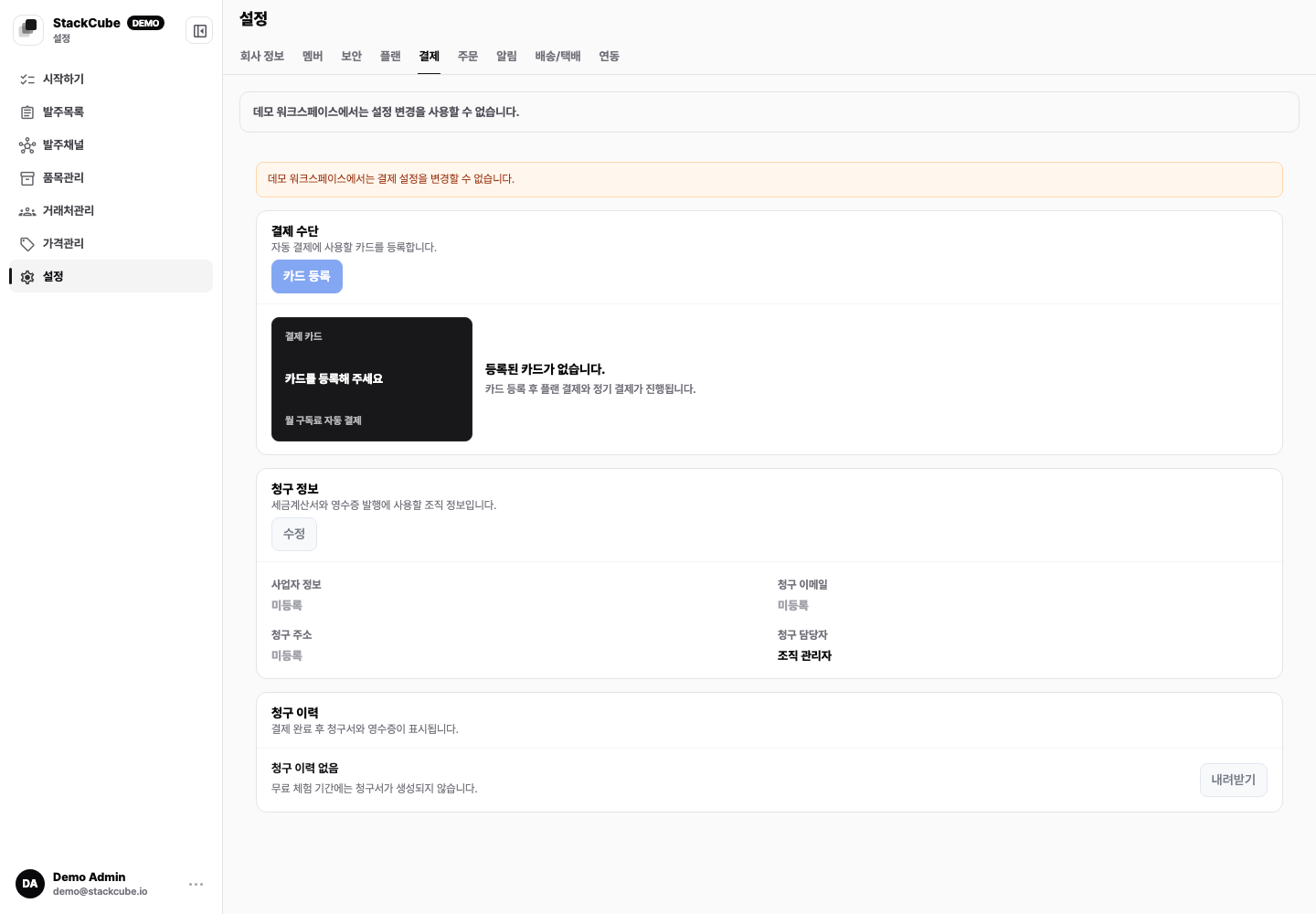
Review these regularly:
- Whether current usage still fits the plan
- Trial end date and next billing date
- Registered card and possible payment failures
- Billing contact information
- Channels, customers, or integrations you plan to add
Only workspace owners and admins can open the Plan and Billing tabs.
Trial expiration and failed payments#
| Screen state | Next step |
|---|---|
| Trial ended | An owner or admin selects a plan in Settings → Plan and completes checkout. |
| Payment failed | Check the displayed deadline and update the payment method under Settings → Billing → Change card. |
| Read-only | Check whether the trial or subscription ended and review payment status. Complete billing and confirm access before resuming order or settings changes. |
A failed payment allows continued use during the grace period. If it remains unresolved by the displayed deadline, access becomes read-only. Order operators cannot open Plan or Billing; they must ask an owner or admin.
If payment status still shows a failure after changing the card, check the result and error, then contact support. Registering a card alone does not confirm that an outstanding payment has been resolved.
Schedule or undo cancellation#
- An owner or admin opens Settings → Billing.
- Select Cancel subscription and complete the displayed steps.
- Check the scheduled cancellation date. Depending on the payment provider, a separate billing management screen may open.
- To withdraw a scheduled cancellation, select Undo cancellation and confirm the result.
Access becomes read-only when the subscription ends. Canceling a StackCube subscription does not cancel payments for customer orders in the portal. See Order portal card payments for those payments.