Edit shipping files#
Open Prepare shipping file from Order export to edit the file. These editing tools also work with built-in carrier formats.
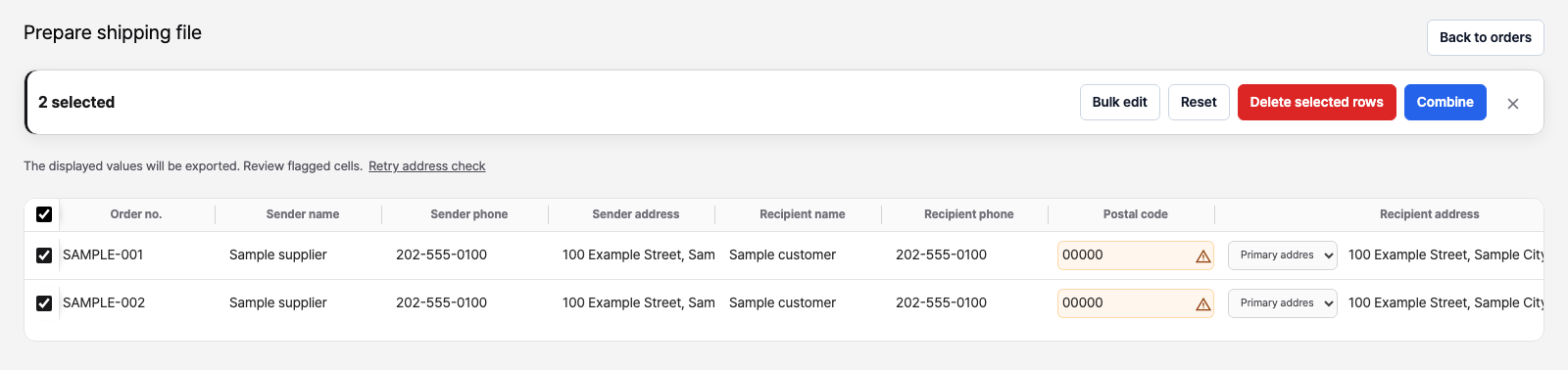
Edit shipments#
- Edit a cell: Double-click a cell, or focus it and press Enter/F2. Press Enter or click elsewhere to apply the edit; press Esc to cancel.
- Bulk edit: Apply the same value to selected rows or cells.
- Combine: Merge shipments with matching recipients, phone numbers, addresses, and shipping conditions.
- Split items: Expand a shipment's items, then move selected items or all items into separate shipments.
- Exclude or add rows: Remove selected items or rows from the file, or add a blank row.
These edits and removals apply to the shipping draft and exported file. They do not update or delete the original orders. Edit order details separately if the source order also needs a change. Shipment counts may differ from selected order counts after merging or splitting.
Check addresses and sender details#
Open cell indicators to review postal-code lookups, address suggestions, sender details, or unmapped values. Even when no warning appears, check recipient names, phone numbers, addresses, and the carrier's required fields yourself. Address lookup coverage depends on the address and country.
Download the shipping file#
After editing, clear the row or cell selection. Check the shipment count at the top, then click Export N shipments. While rows or cells are selected, selection editing tools appear in place of the export button.
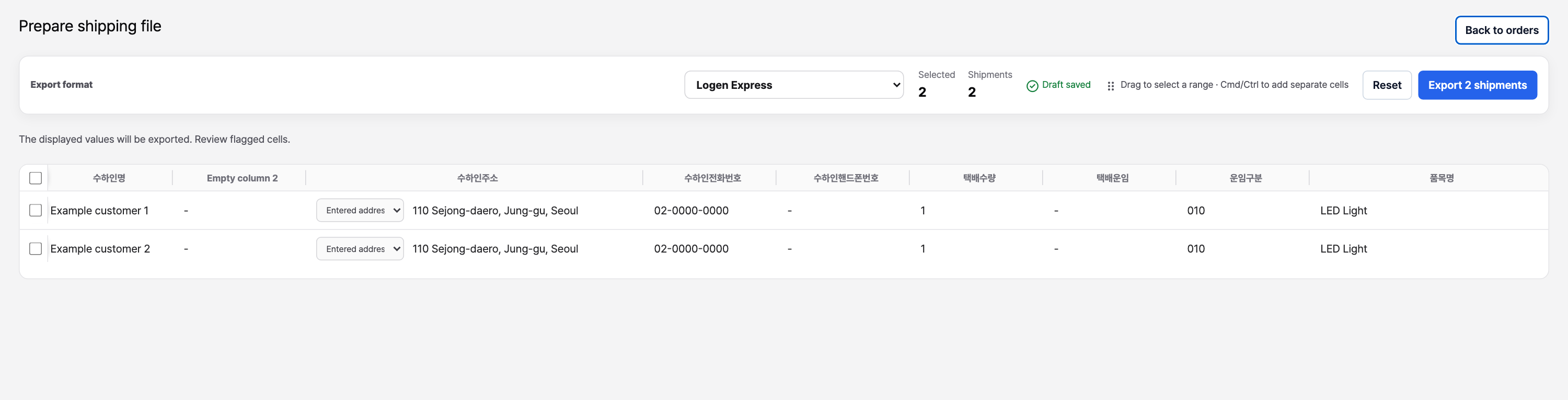
Resume drafts and download again#
Shipping preparation is saved as a draft in the current browser. Open Latest shipping draft → Resume in the export window to continue. The draft is unavailable in another browser or on another device, and clearing browser data can remove it.
After a shipping file download, the order list shows an export mark. Selecting exported orders again shows how many were already exported. An immediate Order spreadsheet download does not record this shipping history.
An export mark does not confirm carrier acceptance or dispatch. You can download the same order more than once, so check carrier submissions before uploading again. If saving export history fails after a download, the file may already be on your device; check the file and carrier submission before repeating the operation.